UPS
UPSBusiness
4.549.52K Reviews
- Version
- 10.36.1.7
- Installs
- 10.00M
- Age Rating
- Everyone
Screenshots
Our Review of UPS
 Analysis by Appyee
When a parcel is on the way, I want to know what is happening without searching through email, a carrier website, and scraps of saved tracking numbers. When I need to send something, I want to compare the practical next steps before making a trip. That is the problem the UPS app is built around: it brings common shipping tasks into one mobile place, from checking a delivery to looking for a location or getting a quote.
I find it most useful when UPS is already part of the plan. It is a free business app from UPS, rated for Everyone, and its long history on mobile makes it feel like a familiar companion to the carrier’s services rather than a general-purpose parcel manager. The app has been available since April 2, 2010, and its current version is 10.24.1.21. Those details matter less than the basic question: does it help me move from “I have a package” to a clear next step? In many ordinary situations, yes.
Start with the parcel, not the app
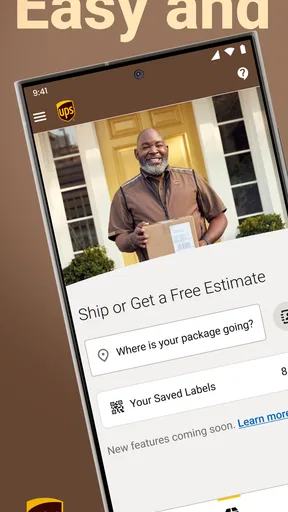
A useful way to approach the app is to begin with what you need to do. If you are waiting for a delivery, start with tracking. If you have an item to send, look at a quote and nearby UPS locations before deciding how to hand it off. If you are coordinating deliveries regularly, the app can serve as a convenient place to keep that activity visible. This task-first approach is more practical than opening it just to explore menus.
For example, imagine I have bought a birthday gift online and the tracking number is buried in a confirmation message. Rather than checking repeatedly in the retailer’s order page, I can bring the shipment into the UPS tracking flow and follow its progress there. If I also have a return to send, I can switch to the shipping tools, check the likely cost, and find a location that suits my route. The value is not magic; it is fewer separate searches and a clearer sequence of decisions.
Your Shipping Sidekick
The moment you open the UPS app, you'll notice how intuitive it is. The interface is clean and straightforward, which is a breath of fresh air in the sometimes cluttered world of shipping services. It's like having a personal assistant for all your shipping needs, right in your pocket.
Tracking Made Easy
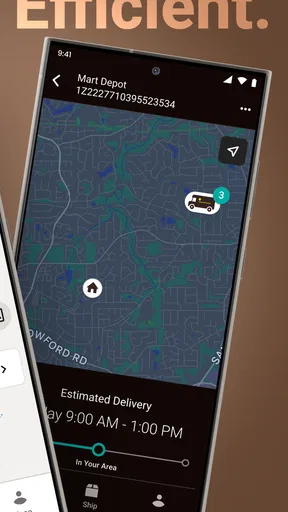
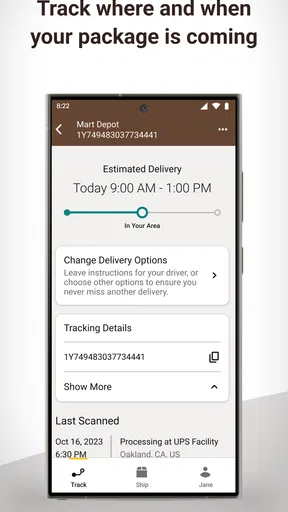
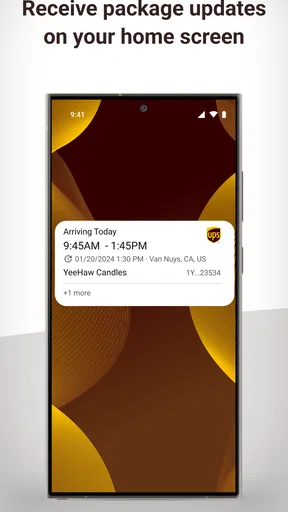
One of the standout features is the tracking functionality. You can track multiple packages at once, meaning no more flipping through different tabs or apps just to find out where your stuff is. The app notifies you of every status change, so you're always in the loop. Honestly, it's like having a shipping crystal ball.
The practical benefit becomes clearer when several shipments overlap: a work document, an online order, and a gift headed to a relative can all demand attention in the same week. Keeping those shipments together is easier than relying on memory or repeatedly opening separate merchant pages. I would still treat tracking updates as checkpoints, not an exact promise of when I can safely step out. For anything that needs careful timing, it is sensible to check the latest status before changing plans.
Notifications are most helpful when they reduce the need to check manually, but I would use them selectively. If every minor change interrupts your day, the convenience can turn into noise. I’d keep alerts on for shipments that matter and open tracking directly when I need the detail. This is a small habit, but it makes a difference for people receiving several parcels at once.
Quick and Convenient Shipping
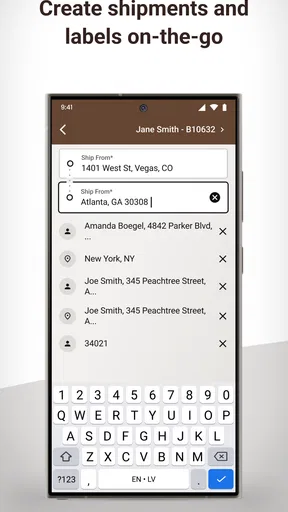
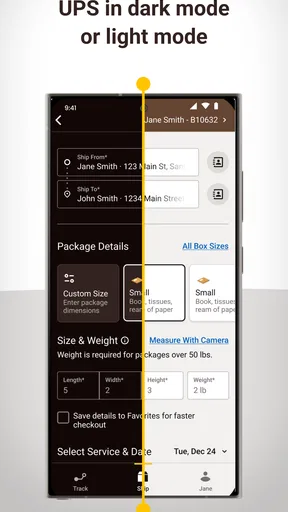
Shipping a package has never been easier. You can calculate shipping costs, find the nearest drop-off location, and even schedule a pickup—all from your phone. It's so convenient that I sometimes wonder how I managed before. Plus, the app saves your frequently used addresses, making the whole process even smoother.
For a first-time sender, I’d use the quote as a planning step rather than assuming the first number answers every question. Check the destination and parcel details carefully, then compare the cost with the time and effort of taking the parcel to a convenient UPS location. A pickup may be appealing when you are handling several packages or cannot easily leave home, while drop-off can make more sense when you are already passing a suitable location. The best choice depends on your day, not just the screen.
Saved addresses are especially useful for repeat routines: sending documents to the same office, shipping orders from a small business, or mailing occasional gifts to family. They cut down on retyping, but I would still review the recipient and address before confirming each shipment. A saved entry can be convenient and still be out of date. That quick check is worth the few seconds when a misdirected parcel would be a bigger hassle.
Personalized Experience
One of my favorite features is the My Choice service, which allows you to customize delivery options to fit your schedule. Whether you need to reroute a package or change the delivery date, it’s all possible with just a few taps. It’s a game-changer for anyone with a busy lifestyle.
This kind of control is most valuable when a delivery plan changes after a parcel is already moving. If I know I will not be home, I can look at the available options rather than simply waiting and hoping the timing works out. I would make adjustments early, while there is time to respond, and read each choice carefully before submitting it. Delivery changes are useful tools, but they are not a substitute for checking what options are actually offered for that shipment.
There is also a trade-off in relying on delivery preferences: the app can help me respond to a problem, but it cannot make every shipment equally flexible. A sender’s arrangements, the parcel’s status, and the available choices can affect what I can do. So I see My Choice as a way to manage eligible deliveries, not a guarantee that every package can be redirected or rescheduled exactly as I wish.
And, if you're a business owner, you'll appreciate how the app lets you manage your shipments efficiently, keeping everything organized and at your fingertips.
From phone to handoff
The app is only one part of the shipping chain. A quote or pickup plan still leads to a physical handoff, and that is where a little preparation pays off. Before leaving home, I would confirm the parcel is addressed correctly and ready to go, then use the location information to choose a stop that fits the rest of my trip. This turns the app from a place to browse into a planning tool that can save a wasted detour.
For a small online seller, the workflow might be more useful than any single feature: check a shipment’s progress, prepare the next order, reuse a familiar address, and decide whether a pickup or drop-off fits the day. The app can make those steps easier to keep together, especially when shipping is a recurring chore. If the business depends on more detailed operations or a larger team process, though, I would compare it with UPS’s other business tools rather than assuming a phone app alone will cover every need.
Where it fits—and where it doesn’t
Compared with checking a retailer’s order page, the UPS app is a more direct place to follow a shipment once UPS is handling it. Compared with a general parcel-tracking app, its advantage is that tracking sits alongside UPS-specific tasks such as quotes, locations, and shipping actions. The trade-off is just as important: if most of your parcels travel with other carriers, a carrier-neutral tracker may be a better everyday dashboard. If you rarely send or receive UPS packages, a browser search or the seller’s own tracking page may be enough.
I would also distinguish between occasional personal use and business reliance. Someone sending a return now and then can benefit from having the basic steps close at hand. A small business owner who ships repeatedly may appreciate saved addresses and a single mobile workflow, but should check whether the app’s tools match the business’s volume and record-keeping needs. The right choice depends on whether convenience on a phone is the main requirement or whether shipping is part of a larger operation.
Getting started is straightforward in concept: identify whether you are tracking, sending, or finding a place to hand over a parcel, then follow that path. For tracking, have the shipment information ready; for a quote, be prepared to enter the details needed to estimate shipping. If you are changing a delivery, check the options shown for that particular parcel rather than expecting a universal set of controls. This keeps expectations realistic and avoids treating a feature as available before the shipment is eligible for it.
User Support and Reliability
The app also offers solid support options. If you hit a snag, there's help available with FAQs, direct customer service contact, and even chat support. It's reassuring to know that assistance is just a tap away.
That support matters most when the issue is not simply “where is my package?” but something that affects the next action: a confusing status, an address concern, or uncertainty about a shipping step. I would first check the shipment details and the help information, then contact support if the answer changes what I need to do. For urgent delivery problems, the app is a useful starting point, but it is still worth choosing the support route that best matches the issue rather than expecting a tracking screen to resolve every exception.
Reliability is another huge plus. UPS has a longstanding reputation, and this app upholds it. From sending a birthday gift to managing bulk shipments, it handles everything with the same level of professionalism.
In everyday use, reliability also means knowing when not to depend on a single notification. I would keep the tracking number or order details accessible until a shipment is safely delivered, particularly for a time-sensitive parcel. The app makes checking easier, but a sensible backup—such as the merchant’s order confirmation—can help if I need to explain a problem or compare what the sender has arranged.
There is a reason the app has reached over 10 million installs and earned an average rating of 4.5 from around 213,000 ratings, with roughly 43,000 written reviews. That scale suggests it serves a broad range of people, from occasional senders to frequent recipients. It is free to use and suited to everyone, but its strongest case is still practical: you already have a UPS shipment or plan to use UPS, and you want to handle the next step without juggling several places.
My final advice is to try it if UPS is a regular part of your deliveries, then build a simple routine around it: save only addresses you use often, check tracking when a decision depends on it, and review the parcel details before arranging a handoff or changing delivery preferences. If your shipping is spread across many carriers, or you need a more comprehensive business workflow, another tool may fit better. For ordinary UPS tracking and shipping tasks, though, it is a useful companion that can make a small but real difference to the way a parcel moves from your hands to its destination.
In conclusion, the UPS app is a must-have for anyone who values efficiency and convenience in their shipping processes. With its user-friendly design and robust features, it makes managing shipments as simple as pie. If you haven't tried it yet, give it a whirl. You might just wonder how you ever shipped without it!
Privacy and Permissions
See what permissions an app requests and how it handles your data.
- Contacts
- read your contacts
- Location
- approximate location (network-based), precise location (GPS and network-based)
- Photos/Media/Files
- read the contents of your USB storage, modify or delete the contents of your USB storage
- Storage
- read the contents of your USB storage, modify or delete the contents of your USB storage
- Camera
- take pictures and videos
- Wi-Fi connection information
- view Wi-Fi connections
- Other
- view network connections, full network access, change your audio settings, run at startup, control vibration, prevent device from sleeping
Verdict
Strengths of UPS
- User-friendly interface for easy navigation.
- Real-time tracking for accurate updates.
- Push notifications for delivery alerts.
- Supports multiple tracking numbers.
- Secure login for customer privacy.
Limitations of UPS
- Limited offline access functionality.
- Occasional app crashes reported.
- Requires frequent updates.
- Some features need internet connection.
- Account setup can be time-consuming.
Similar Picks in This Category
View All
LinkedIn: Community & Network
LinkedIn3.8

Zoom Workplace
zoom.com4.1

Microsoft Teams
Microsoft Corporation4.6

Meta Business Suite
Meta Platforms, Inc.4.6

Webex Meetings
Cisco Systems, Inc.4.5

TeamViewer Remote Control
TeamViewer4.4
You May Also Like
View All
Frequently Asked Questions
What features does the UPS mobile app offer?
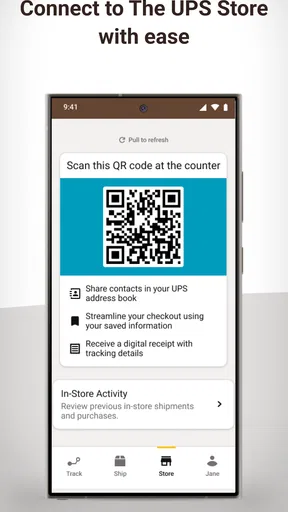
The UPS mobile app provides a range of features, including tracking shipments, creating shipping labels, finding UPS locations, and managing delivery preferences. Users can also receive notifications about the status of their packages and view estimated delivery times. The app is designed to streamline the shipping process for both personal and business use.
Is the UPS app available for both Android and iOS devices?
Yes, the UPS app is available for download on both Android and iOS platforms. Users can find the app on the Google Play Store for Android devices and the Apple App Store for iOS devices. It’s designed to provide a seamless experience regardless of the operating system.
How secure is my personal information on the UPS app?
The UPS app employs robust security measures to protect your personal and shipment information. This includes encryption protocols and secure login options. UPS is committed to maintaining user privacy and adheres to industry standards to ensure that your data is kept safe and secure.
Can I use the UPS app to track international shipments?
Yes, the UPS app allows users to track both domestic and international shipments. You can enter your tracking number to receive updates on the shipment's status, location, and estimated delivery date. This feature helps users stay informed about their packages regardless of their destination.
Does the UPS app support multiple languages?
The UPS app supports multiple languages to cater to a global audience. Users can change the language settings within the app to match their preferences. This ensures that non-English speakers can navigate and use the app effectively, enhancing the user experience across different regions.
